# 通道监视器

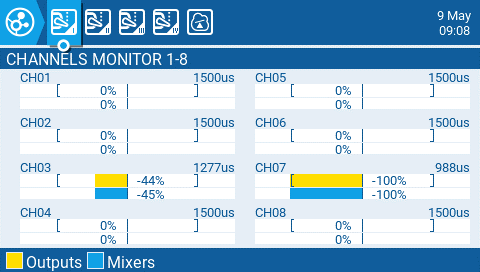
通道监视器显示每个32个无线电通道的输出值（顶部条）和混合值（底部条），分布在4页，每页8个。

<figure><img src="/files/QPkfg0V5nYLkFFeFfMNC" alt=""><figcaption><p>通道监视器</p></figcaption></figure>

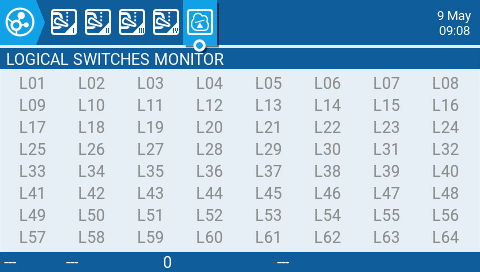
通道监视器的第5页是逻辑开关监视器。在此页面上，您将看到所有逻辑开关的状态（激活/未激活）。被激活的逻辑开关会被高亮显示。

<figure><img src="/files/agQuyPzeETFV4ngYem7I" alt=""><figcaption><p>逻辑开关监视器</p></figcaption></figure>


---

# Agent Instructions: Querying This Documentation

If you need additional information that is not directly available in this page, you can query the documentation dynamically by asking a question.

Perform an HTTP GET request on the current page URL with the `ask` query parameter:

```
GET https://zkl2333.gitbook.io/edgetx-user-manual/color-radios/channel-monitor.md?ask=<question>
```

The question should be specific, self-contained, and written in natural language.
The response will contain a direct answer to the question and relevant excerpts and sources from the documentation.

Use this mechanism when the answer is not explicitly present in the current page, you need clarification or additional context, or you want to retrieve related documentation sections.